Free Race
The main event
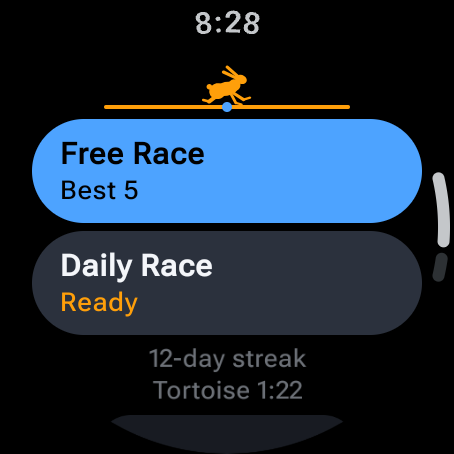
One ring, as many words as you can bank. Every word you crack buys back a little time, so a good run keeps itself alive.
A word race for Apple Watch and Wear OS
A ring of time runs around the edge of your watch. Five taps and a pick make a guess, and you get as many guesses as the clock allows. You're the hare this time. No naps.
How a race works
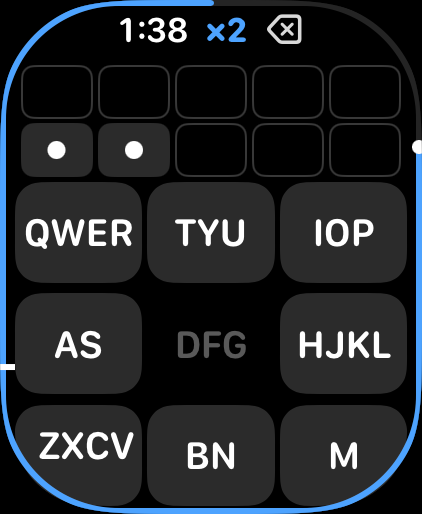
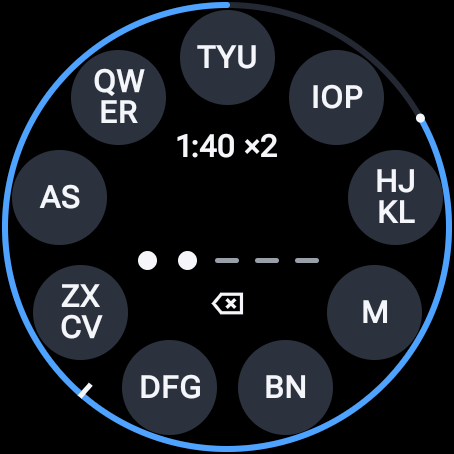
Guessing is built for a small screen. Letters sit in nine groups, so each letter is one tap on its key, not a hunt across a tiny keyboard.
The first time, a short lesson runs, and Skip leaves it. Then, on Home, tap Free Race. The ring around the screen is your clock.
Think of any five-letter word. For each letter, tap the key that holds it.
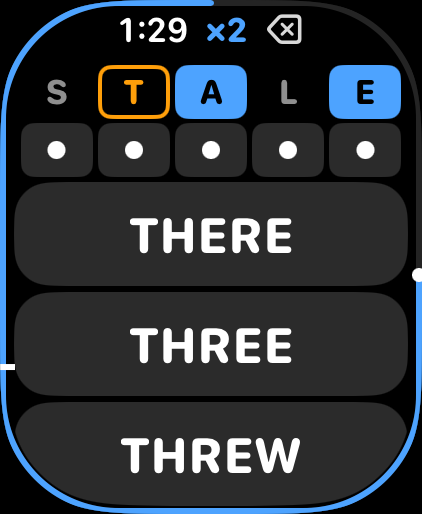
After the fifth tap, choose your word from the short list.
Blue right letter, right spot. Orange in the word, wrong spot. Each mark has its own look, so color is never the only clue.
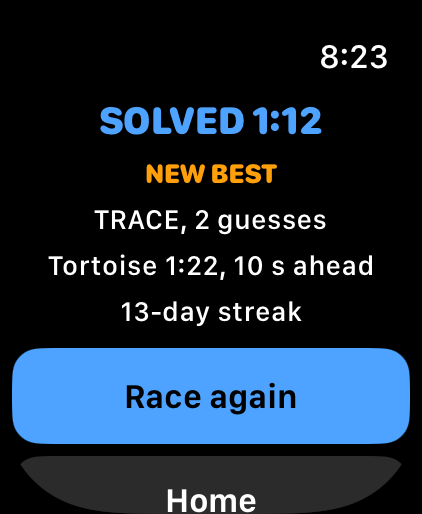
There's no guess limit, only the clock. Crack the word and the next one starts on the same ring, with time added.
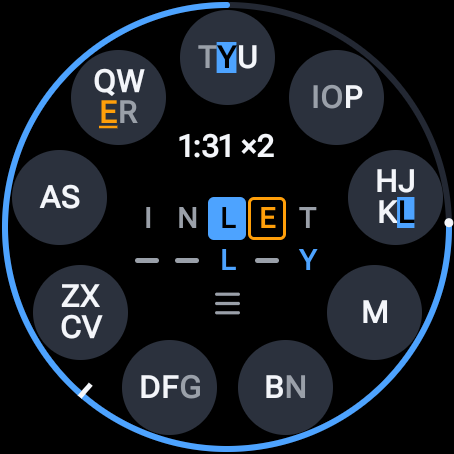
Drop your wrist and the race pauses and hides the board, so nobody gets a free look and nobody loses a run to a tap on the shoulder. Lift your wrist and tap to carry on.
Two races
The main event
One ring, as many words as you can bank. Every word you crack buys back a little time, so a good run keeps itself alive.
One word a day
You against the Tortoise, which paces itself on your own recent times, so beating it means beating your usual pace. Miss the odd day and your streak survives.
Watch face and tile
Apple Watch and Wear OS
Shows whether today's race is done. On Apple Watch it can show your streak too.
Add it: touch and hold the watch face, tap Edit, pick a slot, then choose Word Hare.
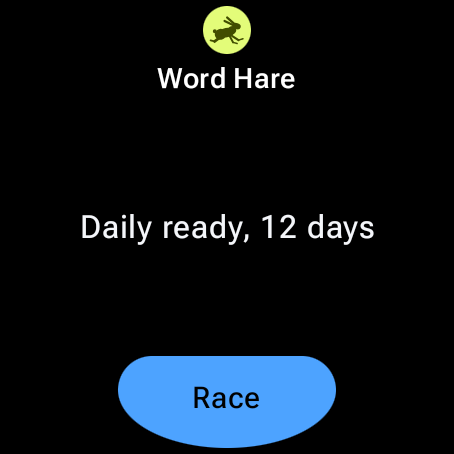
Wear OS
Shows whether today's race is done and your streak, and one tap starts a race.
Add it: swipe across your tiles, scroll to the end, tap Add tile, then choose Word Hare.
The fine print
Want an audience? Public leaderboards are optional.
See the leaderboardsFree
For Apple Watch and Wear OS, with no ads and no account needed.